Start Lens
Start Docker, then run this in an empty folder:
curl -fsSLO https://raw.githubusercontent.com/BerriAI/lens/main/deploy/lens/compose.yaml && docker compose up --wait && docker compose logs -n1 credentials
It finishes in under a minute and prints the address to open and your setup token:
credentials-1 | Open http://localhost:4318/ui/ and paste this setup token: <your token>
Open http://localhost:4318/ui/, open Admin token, paste the token into the field, and select Sign in. To look around without a token, select Explore demo data on the same page.
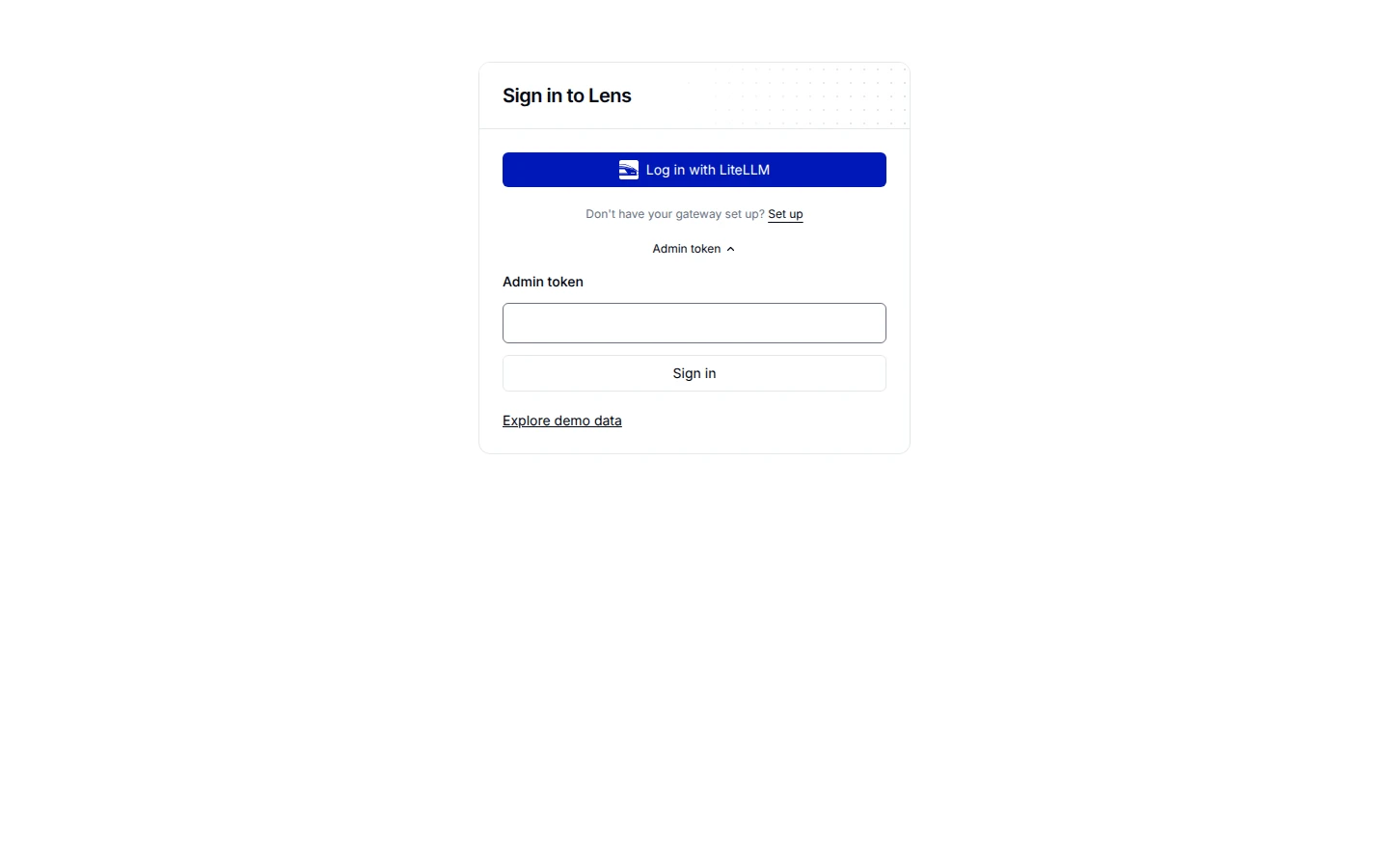
You need Docker with Docker Compose 2.24 or newer, and Docker must be running. You do not need Git, LiteLLM, Kubernetes, PostgreSQL, or a model key. The command downloads one Compose file and starts Lens and ClickHouse from published images. Lens generates its credentials on the first start and saves them in .env beside that file, where the token is LENS_ADMIN_TOKEN.
See traces
Turn on Demo data in the top right. Lens opens Traces with sample runs to look around. To record your own agent, follow Send your first trace.
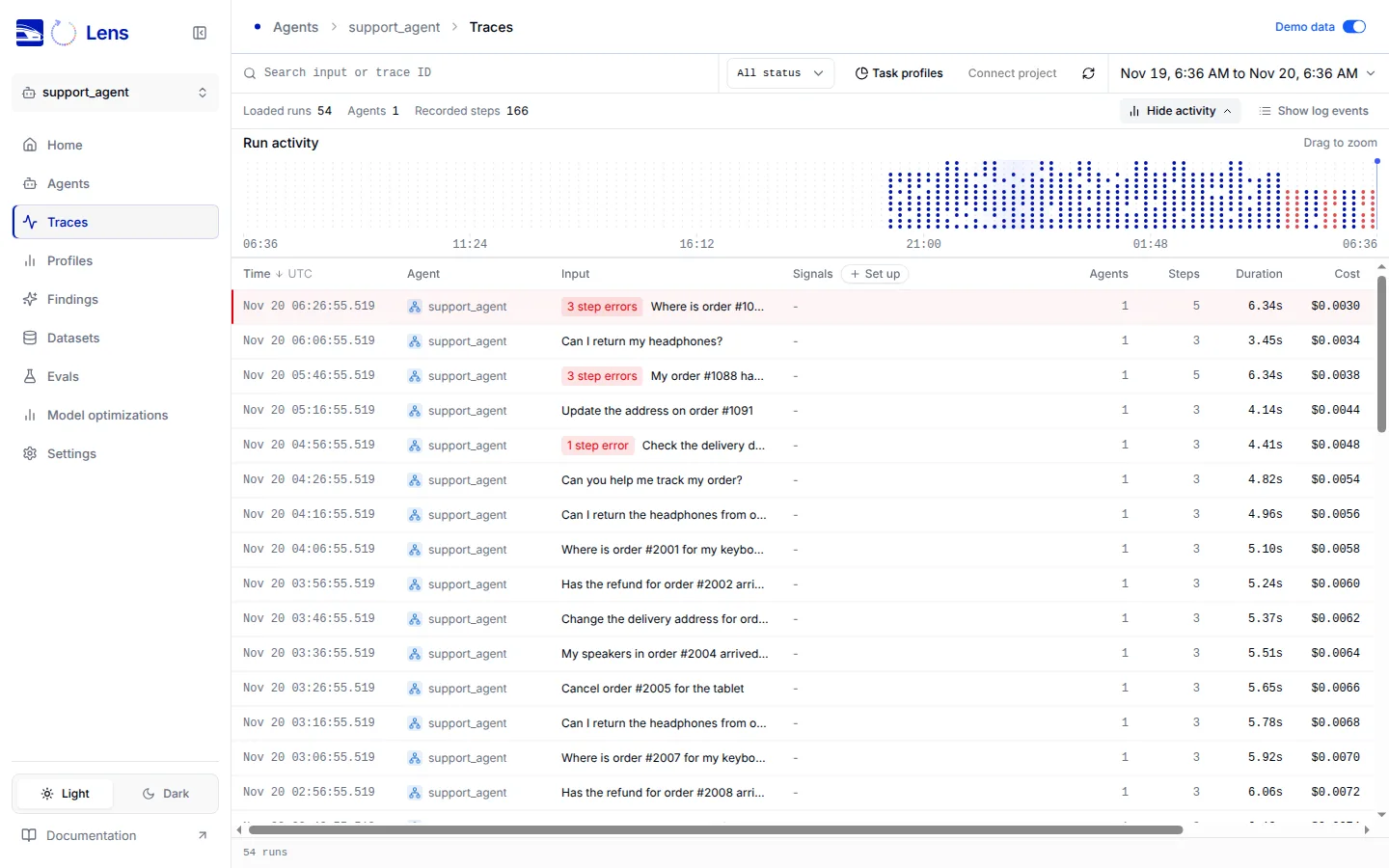
Select a run to see its steps, input, and output.
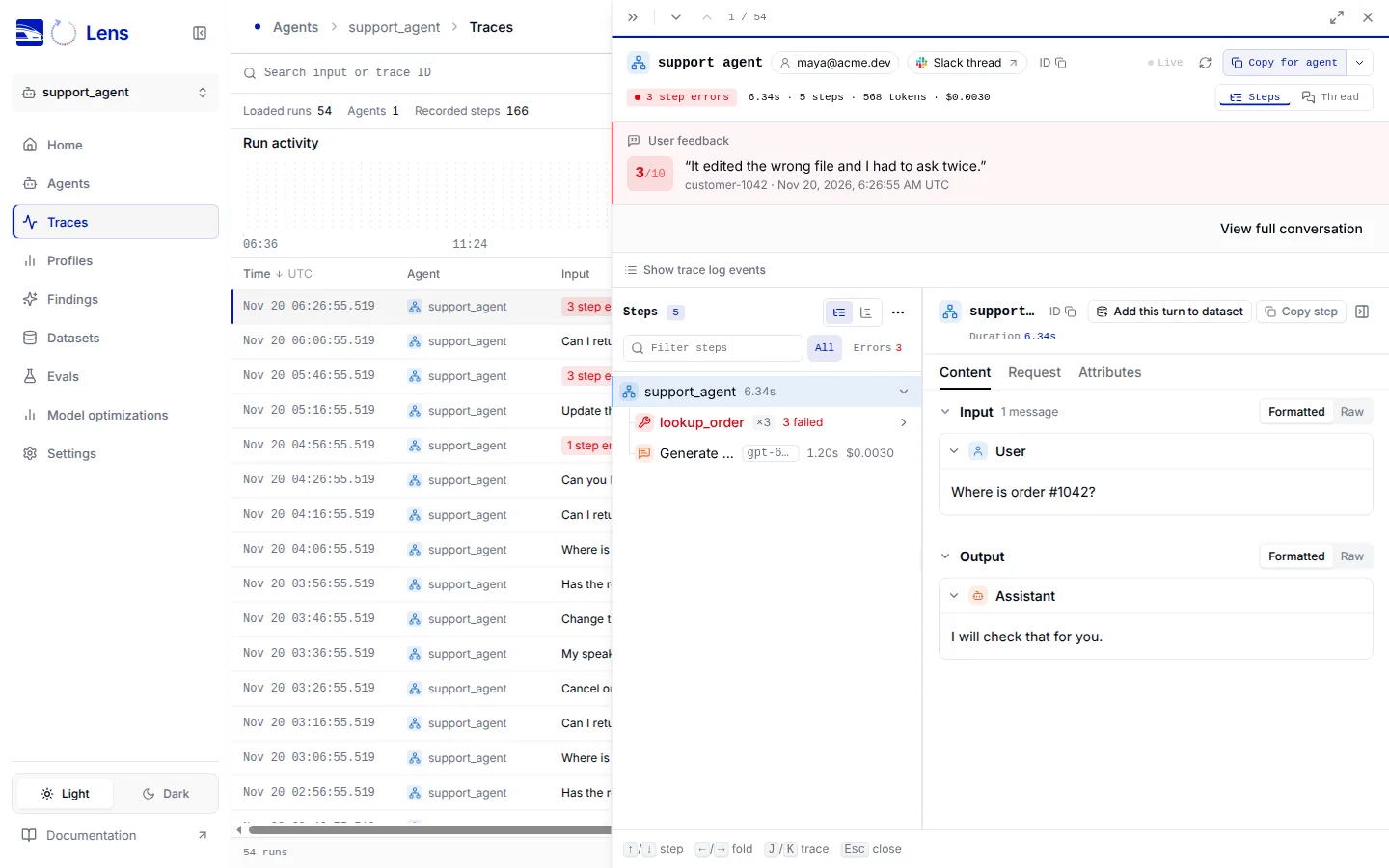
Stop Lens with docker compose down. Your data is kept; adding --volumes deletes it.
Next: Claude Code and Codex setup, run Lens on a server, or add Lens to LiteLLM. If the start fails, see Troubleshooting.